Adverts
After the launch of the Meu INSS application, many people started using it, however, there are still many doubts regarding its functionalities.
For this reason, in this post we will present everything you need to know about the content and, of course, how you can take advantage of the app.
Good reading!
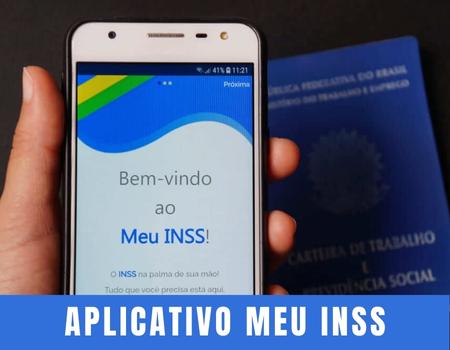
What is the Meu INSS application?
The Meu INSS application is an online service created by INSS, with the aim of helping people access various information related to benefits.
This way, you can have all your doubts answered without having to go to an agency and wait in line.
Among the information you have access to through the app are:
- Benefit account balance;
- Progress of a benefit request;
- Request a review of a benefit;
- Update personal data, etc.
What services are available on the Meu INSS app?
In addition to the option of being able to obtain some relevant information through the my INSS app, it is possible to perform some services.
In other words, through the app you avoid going to an INSS agency, as services can be requested completely online. In total there are 90 service options offered. The main ones are:
- Being able to schedule an INSS service;
- Request sick pay or maternity pay;
- Simulate retirement;
- Send documents considered pending;
- Issue Contribution Statements and Social Security Guide;
- Track the status of each of your orders;
- Consult employment relationships, payment statements and payment schedule;
- Request reimbursement for travel, if you undergo a medical examination elsewhere than in the indicated city;
- See if you can take out a loan in your name and the required margin.
How to access the My INSS app?
Now that you know the benefits offered by the app, let's understand better how you can access it, register and, of course, finish with your first access.
Well, to get started, it is important that you make sure you have all your data on hand so that there is no discrepancy with existing registrations.
Once this is done, what you need to do is download the app on your cell phone so you can take your first steps.
- Register:
After downloading the app, you must click NEXT at the top of the app and accept the terms of use. Then click on enter with Gov.br, and you will be directed to enter your CPF. Fill it out and click CONTINUE.
The first option is to open a Gov.br account and you open your account by associating it with a bank. To do this, you will need to click on the bank you are a customer of and you will be directed to it to complete the registration.
On the other hand, you can click on TRY ANOTHER WAY and then you will be asked to confirm some donations and, if answered correctly, you will click on CONTINUE to carry out the authentications.
– Account authentication and registration completion:
After you have confirmed your details, you will need to authenticate your account, either via email or cell phone, at your discretion. After choosing, you will receive a code.
Once it arrives, you must enter it on your registration screen and click CONTINUE. Ready. Define a week and finally, click CONTINUE. On a new screen you will have the option to click FINISH.
That's it, your Gov.br account is ready and you can now access the app with these same details to request your service without having to go to a branch and wait in line.
How do I request a service on the Meu INSS app?
Now that you have registered, let's understand how you can request a service simply and quickly. The first thing that must be done is your login. It is worth remembering that the login is not registered in the account, so there is no risk of data theft. Therefore, every time you access the app, you will need to fill in your CPF and your registration password.
On the first screen, when you scroll down, you will see the service options that INSS offers. They are divided into two tabs: “For you”, which presents items such as:
- Consult orders;
- New request;
- Request disability benefit;
- Simulate when you will retire.
In addition, there is the other services tab, which presents the other services that the INSS can offer through the app to generate greater practicality and convenience.
