Adverts
What are the apps to increase productivity Which is most effective for everyday use?
Do you want to improve your efficiency at work or in your studies? There are several ways to do this, such as getting better organized, being more agile, and setting priorities.
One way to achieve these goals is to use productivity apps on your phone; check out the best options below!
5 apps to increase productivity
Below are some of the best apps to increase productivity that can help you in your daily life.
Project management tools, note-taking apps, and to-do list tools are some of the available alternatives to increase your productivity using your mobile phone.
Many of these resources offer collaborative support and work for both individual work and teams.
To optimize your day, Notícias Gerais has selected some essential productivity-boosting apps to help you stay organized. Let's check them out!
1. Trello
Compatible with: Android, iOS
Price: Free
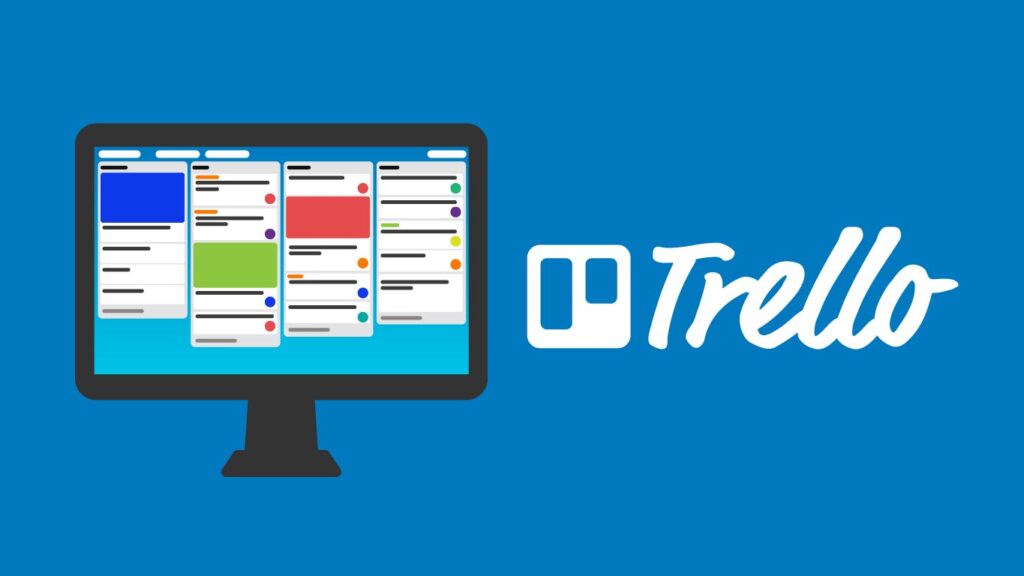
Trello is a widely recognized platform for organization on mobile devices and computers.
The application operates by creating boards, usually dedicated to a specific theme or team. These boards can be filled with highly customizable cards.
Each card, for example, allows the inclusion of text information, attachments, deadlines, and labels for categorization.
Furthermore, in collaborative projects, the tool allows for the assignment of tasks to team members.
This makes cards a versatile option for managing projects, prioritizing information, and organizing your daily tasks.
With a Trello account, your boards and data are synced for use across other devices, including the browser version and the desktop application.
If you wish to create a collaborative project, there is no limit to the number of members, and you can invite them by email or through a shareable link.
2. Notion
Compatible with: Android, iOS
Price: Free
Notion is more than just a note-taking app. This tool allows you to create notes, plan your schedule with to-do lists, and manage team projects.
The great advantage lies in its highly customizable interface, which offers options for inserting attachments, starting discussions, adding links, and even embedding code snippets.
Therefore, the flexibility to create and edit content is the great highlight of Notion.
All elements can be easily edited, moved, or rearranged on the application's pages. You can even create quick shortcuts to access specific notes within other documents.
In addition to note-taking features, the application allows the creation of to-do lists and supports real-time collaboration. Notion also offers synchronization for browser access and desktop versions.
3. Microsoft Office
Compatible with: Android, iOS
Price: Free
For creating and managing various documents throughout the day, the Microsoft Office mobile app is an excellent choice.
It functions as a hub for the main programs in the Office suite, such as Word, Excel, and PowerPoint, allowing for the quick creation of text documents, spreadsheets, and presentations on your device.
Office goes even further: through the application, you can also create forms, scan documents, record audio, manage PDF files, extract text from images, and convert documents to different formats.
All these features are offered by the platform itself, without the need to download other applications or add-ons.
Integration with your Microsoft account is another important point.
By logging in with your account, you will have access to your notes created in OneNote and you can store files in the cloud through OneDrive, which offers 5 GB of free storage.
4. Noted

Compatible with: iOS
Price: Free installation with subscription options (starting from R$ at 16.90 per month)
Noted, available exclusively for iOS, is a tool that can solve your challenges with audio recordings.
In addition to functioning as a notepad, the app allows you to record classes, interviews, and meetings, offering transcription features and the ability to highlight important points.
During playback, you can create timestamps to avoid missing crucial details or to signal the start of a discussion on a specific topic.
Simply combine these bookmarks with your notes to quickly locate information in the audio file.
The app's player also includes buttons to fast forward or rewind 10 seconds and adjust the playback speed.
Noted can be synced with iCloud and has a version for Apple Watch, which allows you to start recording directly from the device.
The paid version of the app, available from R$ 16.90 per month, offers additional features such as audio editing, an unlimited number of notebooks, and PDF file export.
5. Todoist
Compatible withAndroid, iOS
Price: Free installation with subscription options (starting at R$ 12.90 per month)
To avoid forgetting important appointments and tasks, it's a good idea to have a to-do list app on your phone.
Among the various options available, Todoist stands out for its simple interface and customization options for each task.
By adding a reminder to the platform, you can set deadlines, frequency, and priority for the activity.
Thus, the app will send notifications closer to the deadline, helping you stay on top of your daily activities. In addition, there's a statistics tab that allows you to track your habits and goals set within the tool.
Also check out the best apps for AI-powered photo editing: hereQuestions about productivity apps? Leave them in the comments below!
